


Why we built Inkcap
A note from the people who make it.
Screenshots used to be instant. Press a shortcut, drag a box, and the file was already on your disk. Somewhere along the way that stopped being true.
Most of the good tools moved to a subscription, and their free tiers are built to move you toward paying: a watermark in the corner, a monthly upload cap, links that expire, features that were free last year sitting behind a new tier this year. None of that is a capture feature. It is pricing wearing a capture tool’s clothes.
Others are web apps wrapped in a desktop shell. They ship an entire browser runtime to do a job the operating system already does, so they hold hundreds of megabytes of memory and take a noticeable moment to open. A screenshot should be finished before that moment is over.
And more and more often, the simple act of copying an image asks you to create an account first — or quietly routes the file through somebody else’s server when all you wanted was a file.
That last part is the one that bothers us. Think about what is actually on your screen when you reach for a capture tool: a password manager, a customer record, a contract nobody has signed yet, work you have not shipped. Those are the most sensitive pixels you own. They should not become somebody else’s upload by default.
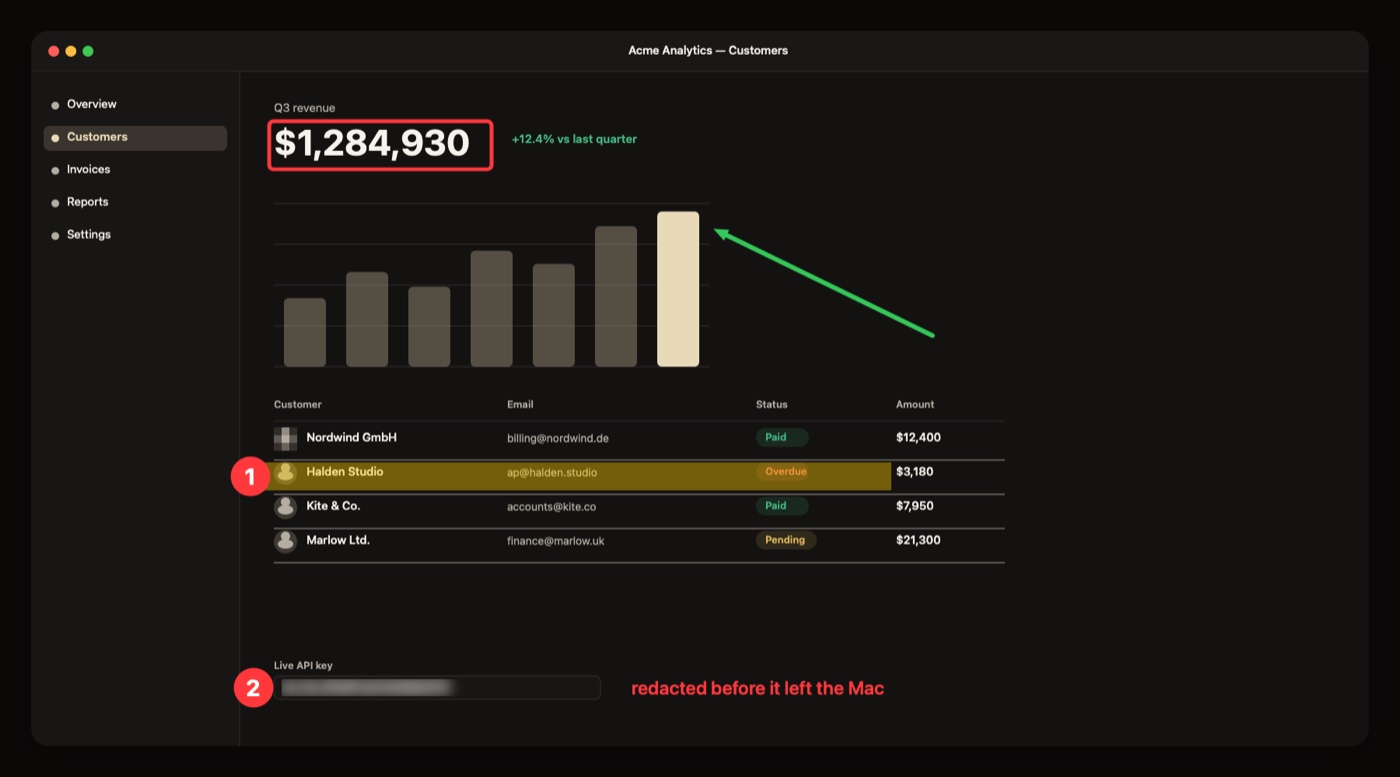
So we built the opposite. Inkcap is a native macOS app: about two megabytes, open the instant you press the shortcut, with the annotation editor included rather than sold back to you. Captures land on your disk by default. If you want them somewhere else, you point Inkcap at your own S3-compatible bucket, your own HTTP endpoint, or your own FTP, FTPS or SFTP server — your credentials, your storage, your rules. Updates are verified by signature before they install, and that check can be turned off. There is no account to create and the app has no telemetry of any kind.
No metered uploads, no expiring links, nothing that quietly changes underneath you between releases. A menu-bar app that does one job properly, then gets out of your way.
About the name: an ink cap is a small mushroom that grows overnight and then dissolves itself into a pool of black ink. Which is more or less what a screenshot is — something you saw, turned into something you can mark up.